

Hi-res and lossless
WAV, AIFF, CAF, FLAC, ALAC, APE, WavPack.
 Widephase
A local hi-res player for iPhone: gapless playback, DSD/DoP, Contour, and your files left untouched.
What it does
Widephase plays the music you already have on your iPhone. The list below describes what the player does — nothing extra is claimed here.
WAV, AIFF, CAF, FLAC, ALAC, APE, WavPack.
AAC, MP3, Vorbis, Opus.
DSF, DFF/DST, SACD ISO; DoP on a confirmed USB DAC (DSD64/128/256). On other outputs, DSD is played as PCM.
When the next track is ready and compatible, playback continues without a gap. Mixed sample rates are seamless on the system path. Exact and DoP need the same format and rate. Gapless is not claimed for Apple Music.
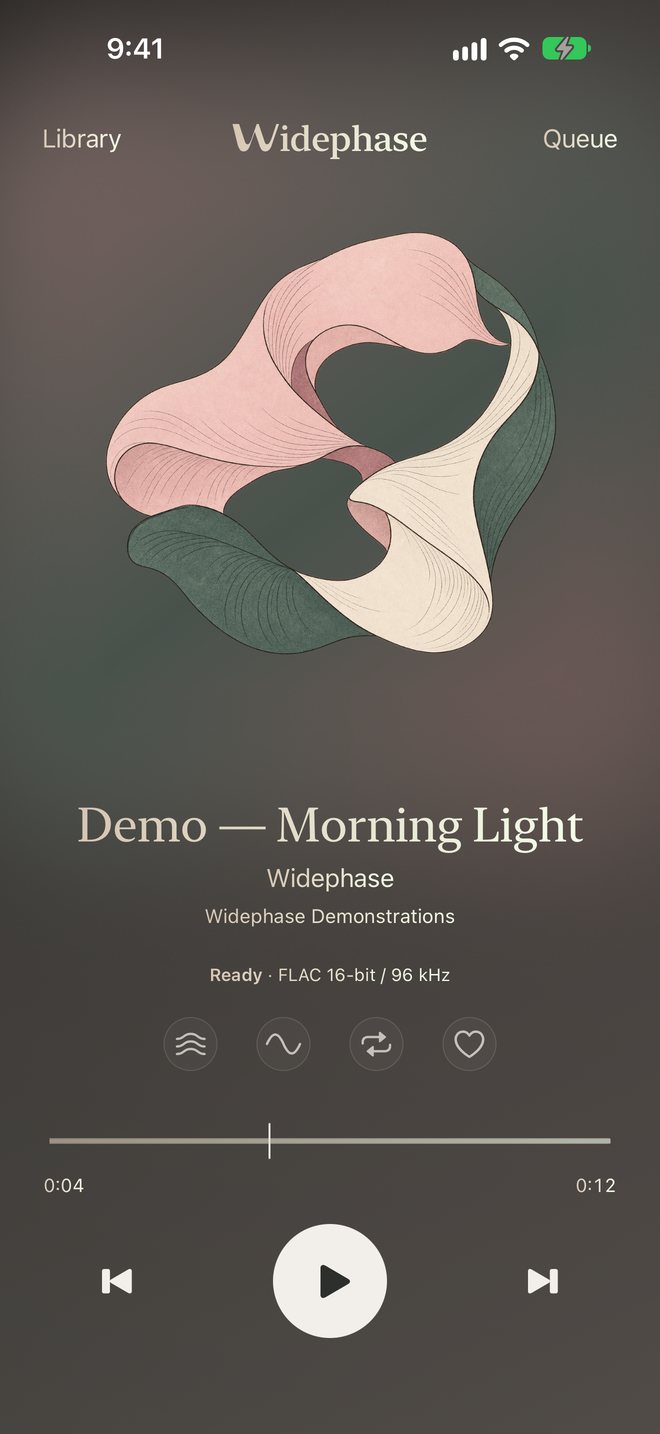
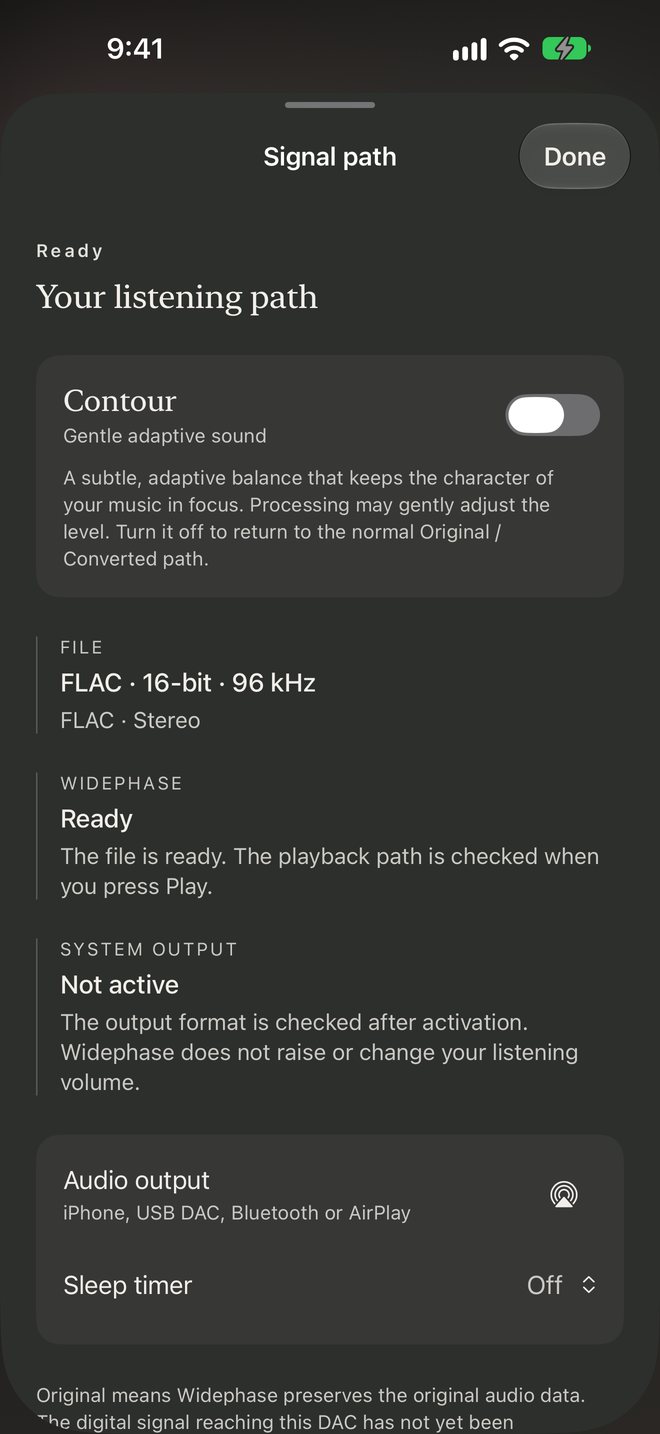
The player shows Original, Converted, or Processed. Tap the format line for Signal path — the source, what Widephase is doing, and the current output. Files on disk are never rewritten.
Optional adaptive balance, with Adaptive bass and two characters, Gentle and Fuller. Turning it off restores Original or Converted. Not available on protected Apple Music.
iPhone speaker, wired headphones, Bluetooth, AirPlay, and an iOS-compatible USB DAC. Unplugging headphones pauses playback.
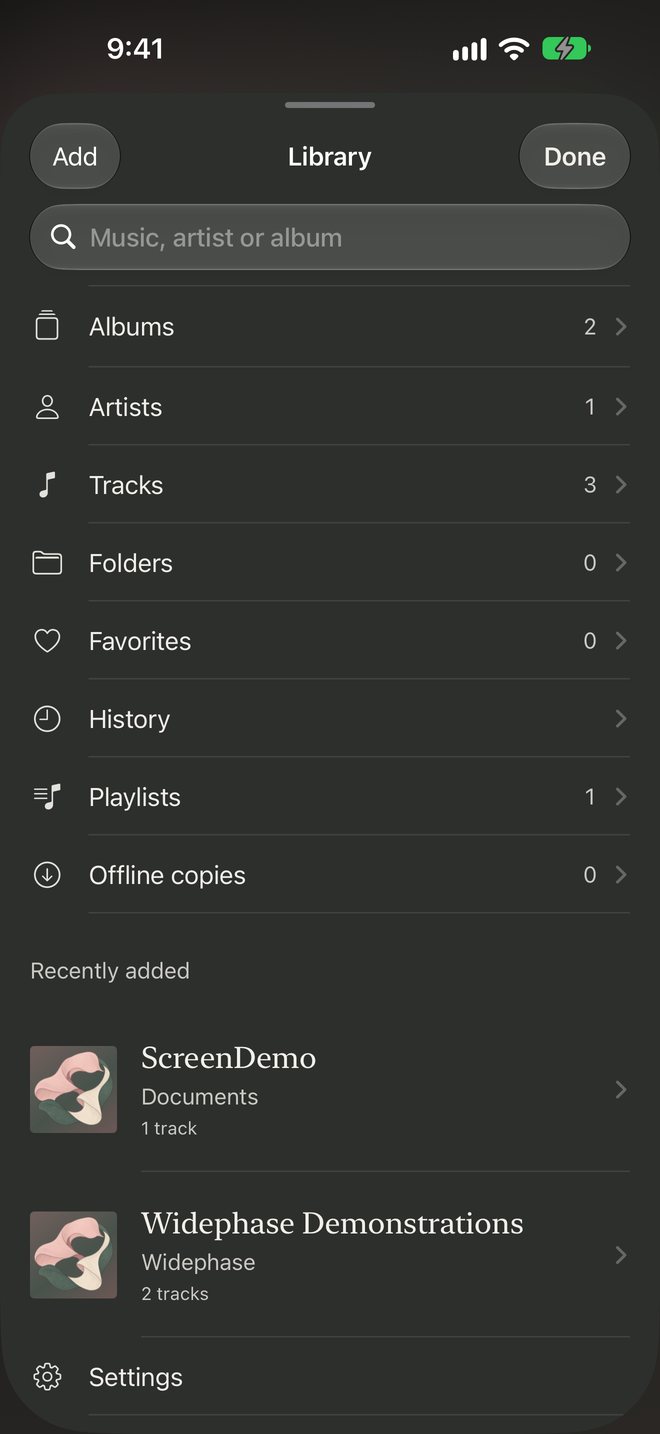
Albums, artists, folders, favourites, playlists, and a local listening history. Add files or folders in place from Files or other apps. Optional Apple Music library access. Keep Offline saves a Widephase copy; originals are never deleted. Played iCloud tracks can stay on the iPhone so they do not download again.
Search the queue, Play Next or Play Last, repeat a track, an album, or the queue, shuffle only what comes next, and remove duplicates — without deleting files.
A ribbon shows where the file has sound or silence. Drag to seek; hold to zoom and scrub more slowly or more quickly. Apple Music shows a time line, because Apple does not share its audio.
Artwork follows each cover. Linen, Rose, and Champagne stay as presets, each in Day, Night, or Auto. Home Screen icons: Indigo, Blush, or Pearl. Files without artwork can use a generated cover — Blush or Indigo.
A sleep timer can stop after 15, 30, 45, 60 or 90 minutes, or after the current track. Siri and Shortcuts can play a track or playlist, resume, pause, or skip. Lock-screen and Now Playing remote commands.
Room light
Optional Room light lets Philips Hue lamps take the colours of the playing cover — a different colour on each light, changing slowly, without flashes. It lives in Settings and stays off until you turn it on.
Choose Cover for colour alone, or Cover and music so brightness also follows quieter and louder parts of the track. Apple Music follows the cover only.
Widephase talks only to your Hue Bridge on the home network, over HTTPS. No Hue account and no Hue cloud are used. Pair by pressing the button on the bridge. Turning Room light off returns the lamps to how they were. It works with square Hue Bridges — the 2nd generation and newer.
From the player
Captured from the iOS simulator with demonstration tones composed for this page — no commercial recordings.
Write directly
For support, App Store questions, or anything else about Widephase, write to Vladislav Isaev.


